
Modern Yard Fence Installation Videos by System: myPost, myRedwood, myFireGuard, and myAir
Yes. Modern Yard publishes installation videos and PDF manuals organized by system, so you can watch the exact sequence for myPost, myRedwood, myFireGuard, myAir, gate frames, and the myLock combination lock before you start. Each system follows the same post, rail, and infill logic, which means the steps you see in one video carry over to the next. Homeowners and contractors both work from the same official resources on the installation guides page.
What installation videos and guides does Modern Yard offer?
Most fence brands sell components and leave installation up to whoever buys them. Modern Yard treats installation as part of the product, with video, printed manuals, and engineering drawings published for every system. That's the difference between a page that says "easy to install" and one that shows you the actual assembly.
Here's how the resources break down by system and what each one covers.
System | What it covers | Resource format |
myPost universal post | Post setting, spacing, corners, slopes | Video plus PDF, 1 shared post platform |
myRedwood composite | Wood-look board infill, both-side finish | Video plus PDF manual |
myFireGuard steel | Fire-resistant panel assembly, ASTM E84 Class A system | Video plus PDF manual |
myAir aluminum slat | Horizontal slat infill, open airflow design | Video plus PDF manual |
Gate frames | 3.5ft and 6ft frames, single and double | 7 gate PDF manuals |
myLock combination lock | Lock mounting on pre-drilled frame, 665,000 combinations | Product page specs and steps |
Modern Yard is a modular fence and gate system platform built for professional contractors, fence dealers, and lumber yards across the United States, and every system above shares the same dimensional logic. You can review all of them on the installation guides page, which hosts the fence videos and downloadable PDF manuals together.
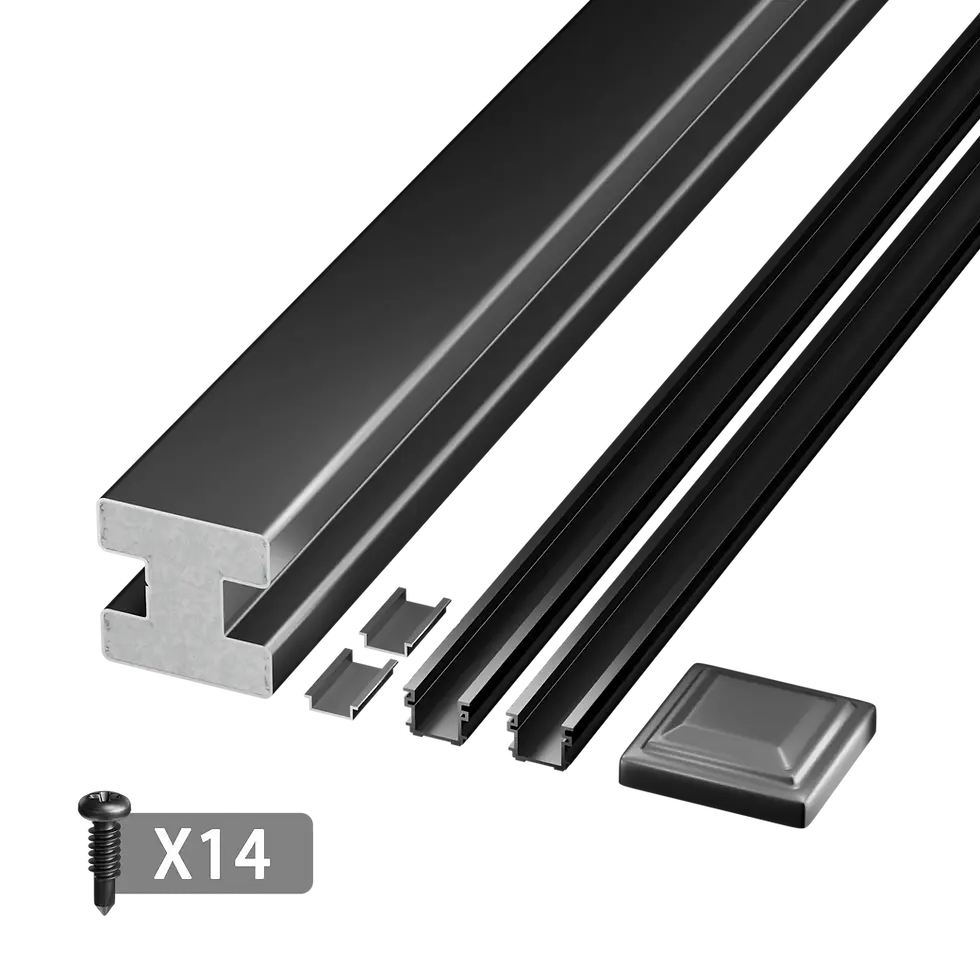
Where to find each system's video and manual
The installation resources are grouped so you don't dig through unrelated content to find your system. Each grouping ties the video to the matching downloadable manual.
Installation resources available for each Modern Yard system:
Step-by-step installation videos by system, hosted on the installation guides page
Downloadable PDF installation manuals for myPost, myRedwood, myFireGuard, myAir, and gate frames
Engineering and dimensional drawings on the technical drawings page
Gate frame manuals covering 3.5ft and 6ft single gates plus 6ft double gates
Warranty and test documentation on the warranty and test report page
The gate manuals are published as separate PDFs because each frame size and configuration has its own sequence. A 6ft double gate aligns differently than a 3.5ft single, and the manuals reflect that rather than forcing one generic set of steps.
Do videos cover homeowners and contractors differently?
The same videos work for both, because the system removes most of the on-site guesswork that usually separates a pro install from a DIY one. The myPost universal post system supports multiple fence types within a single post, which reduces the number of distinct procedures you have to learn. Set the post once, and the rail and infill steps stay consistent across composite, steel, and aluminum.
That said, the two audiences tend to use the resources differently.
Homeowners usually watch the full video first, then download the PDF to keep on-site as a checklist. The video shows pacing and tool handling; the PDF confirms spacing and fastener placement.
Contractors tend to go straight to the technical drawings for dimensions and use the video to confirm the assembly order for a system they haven't installed before. The drawings let them quote accurately before the first post goes in.
Both paths rely on the gate frame being pre-drilled for the myLock combination lock, so there's no on-site drilling step to film or describe. The myLock combination lock mounts to the pre-drilled frame, which is why lock installation is a short step rather than its own project.
What about slopes, corners, and gate alignment?
These are the three points where traditional fence installs go wrong most often, so the videos and manuals address each one directly. The modular connector system supports flat ground, slopes, and corner transitions using the same post platform, so you're not switching to a different part for a sloped run.
Slopes. The connector system steps the rails to follow grade, and the video shows the spacing adjustment so panels stay level without custom cutting.
Corners. The same slotted post serves as a line post or a corner post, so a corner is a post orientation change, not a new component to source.
Gate alignment. Because the gate frame is welded and the post is dimensioned to match, alignment comes from following the spacing in the manual rather than shimming on-site. The aluminum hinges are packaged with the gate frame and installed on-site as part of the documented sequence.
Worth checking. Before ordering, confirm your run length and any slope sections against the technical drawings. Getting post count and spacing right on paper is what makes the video steps go quickly in the field.
How does Modern Yard documentation compare to typical fence kits?
A video link alone is not the same as a full installation system. Many fence products show a short clip without a matching manual, dimensioned drawing, or warranty document, which leaves contractors guessing on the details a clip can't show. Modern Yard publishes the video, the PDF manual, the engineering drawing, and the warranty and test documents as one connected set per system.
Modern Yard's complete fence and gate system is documented end to end, from the myPost universal post through the myLock combination lock, so installers can verify feasibility before buying rather than after. That documentation depth is part of why the system is distributed through national and regional partners including Master Halco, BMD, and Golden State Lumber. You can browse every system's components on the products catalog page to match a video to the parts you'll order.
Match the video to your system before you start
Pick your system first, then pull the matching video, PDF manual, and drawing together so you're working from one consistent source. If you're installing a gate, download the specific frame manual for your size and configuration rather than a general gate clip. For slopes or corners, review the connector steps in the video and confirm spacing against the technical drawings before setting posts. If you still have a layout question after that, your authorized dealer can check the plan against the same documents.
